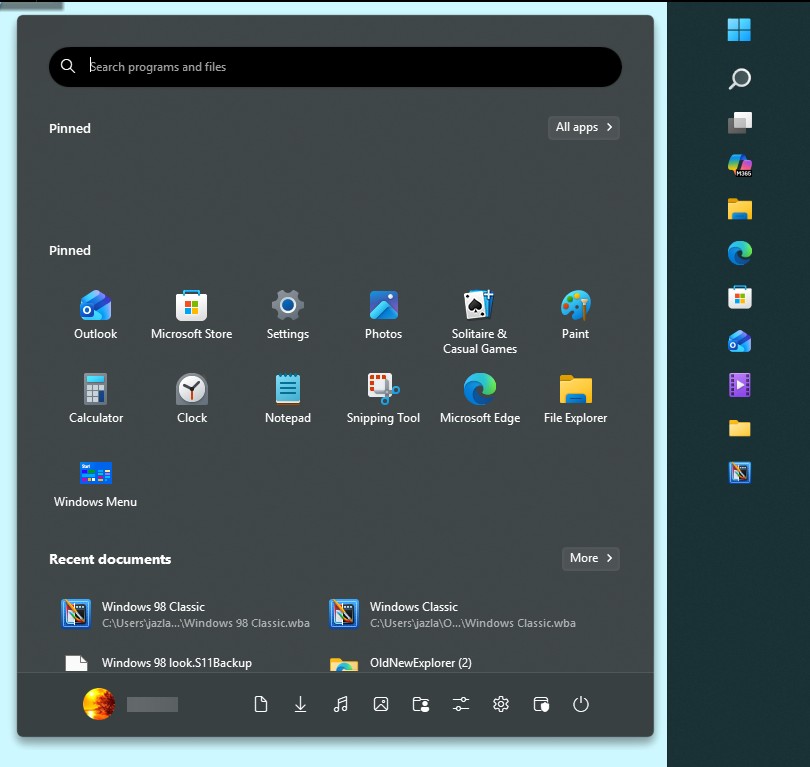
Start11 Start Menu under taskbar

Since the update to Windows 11 back a few months ago, Start11 has been exhibiting some odd behavior with the menu being under the taskbar when the taskbar is on the right side (yes, I know it is experimental).
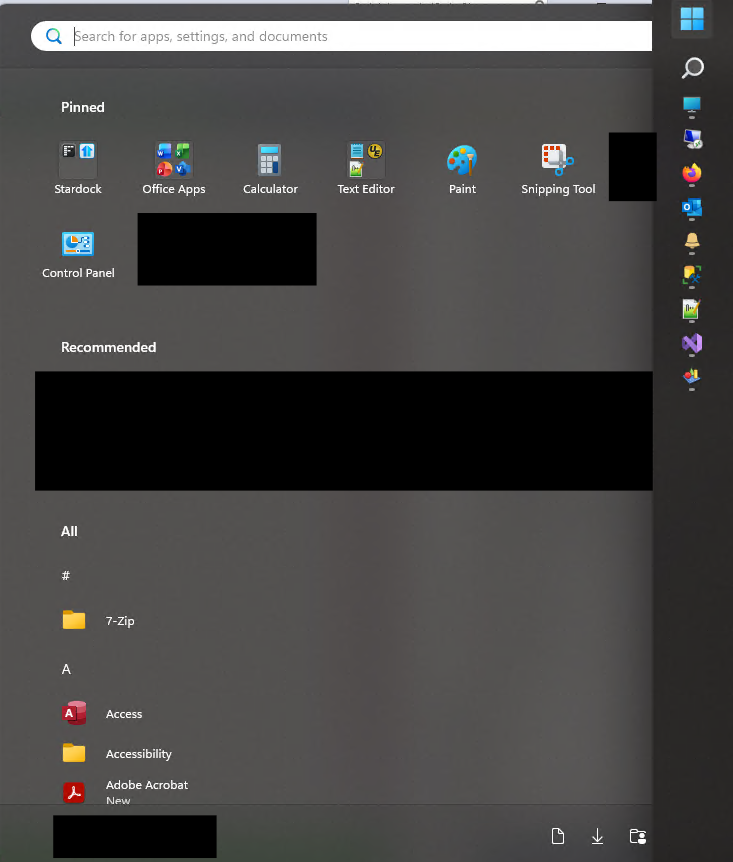
I have reset Start11, and it has not helped.  There are no options to move the start menu to left, only move the menu if the taskbar is on the bottom.  Not sure why this started happening, other than the major update to Windows back in April started the problem.  Even when you click down by where your name would appear, you end up with this for the start menu:
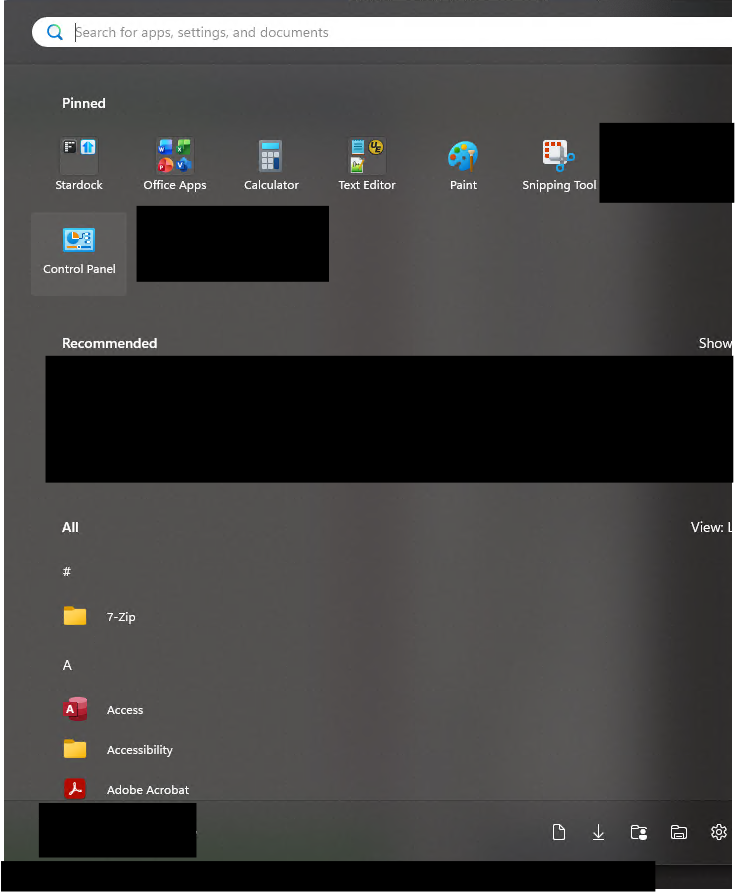
Any assistance with fixing this would be appreciated.  Moving the taskbar to the bottom does not help me, as it helps identify if I am on a remote system or not.

Start11 version: 2.73

Windows version: Windows 11 Ent. 25H2 Build 26200.8875

359 views 5 replies
Reply #1 Top

Hello,

Sorry to hear you are having issues. I can not reproduce your issue on my system. Here is what I get on my system.

First, please try, uninstall Start11, reboot immediately (important), download latest version available in your account product download page: https://store.stardock.com/myaccount/products. Install it, reboot immediately again. Retest it and report back.

Thank you,

Basj,

Stardock Community  Assistant.

Reply #2 Top

I had not bothered with a settings reset after the install of the latest update (was done prior and had not worked).  When I did that this time around, the menu is now in the correct location (after moving the taskbar back to the right side).  Reapplied all my old settings from the backup I took, reintroduces the problem.  So, the reset with the new version apparently wiped out the setting that was being applied.  When I looked at the two backups, I am not seeing what the problem was, so I am just going to roll with "I contacted support and the reset worked" as the fix.

On a separate note, now the text is screwed up on my Recent Documents.  I can read the main label line ("Windows 98 Classic" on your image), however the location is garbled.  I think this is a text thing mixed with RDP, so I am just going to leave that alone as I can read the main header.

Thank you basj, this is fixed now.

Reply #3 Top
Quoting garou1674, reply 3995672

On a separate note, now the text is screwed up on my Recent Documents.  I can read the main label line ("Windows 98 Classic" on your image), however the location is garbled.

End of garou1674's quote

If you still interested, would like to know what do see on your system. Please post a screenshot on this one.

Thank you,

Basj,

Stardock Community  Assistant

Reply #4 Top
Quoting basj, reply 3995674
Quoting garou1674, reply 3995672

On a separate note, now the text is screwed up on my Recent Documents.  I can read the main label line ("Windows 98 Classic" on your image), however the location is garbled.

End of garou1674's quote

If you still interested, would like to know what do see on your system. Please post a screenshot on this one.

Thank you,

Basj,

Stardock Community  Assistant

End of basj's quote

This is what it looks like Basj:

Like I mentioned, the name is fine, the location is not.  It also affects the search box on the Start Menu:

Even when the taskbar is on the bottom I have that same issue.  

Ahh... Found the issue, it is a Windows Setting.  Apparently the Clear Type had not been setup (new system).  Once I enabled that, everything is now crystal clear.  Figures it would be Windows 🤣

Quoting Jack, reply 3995677

That sounds incredibly frustrating — having the Start menu appear under the taskbar when it's on the right side is such an odd bug, especially since you've already reset Start11 and the problem persists. It's a shame there's no option to adjust the menu position for side taskbars, and I hope Stardock addresses this in a future update. If you're looking for more troubleshooting tips or Windows customization discussions,   spinmama has some other useful threads worth checking out.

End of Jack's quote

Yeah, however since I had updated the software and it was still having the same problem, I did not think to try resetting again.  Worst that could have happened is that I would have had to resort to the uninstall, reboot, install that Basj mentions.  I guess the new reset cleared something out that the last did not. {shrug}  

.


Reply #5 Top

Great, glad to hear you have solved the garble text issue. BTW, just so you know, the post by "Jack" is a Spam. It was removed. 

Thank you,

Basj,

Stardock Community  Assistant